 itch.io
 Gumroad
What it does
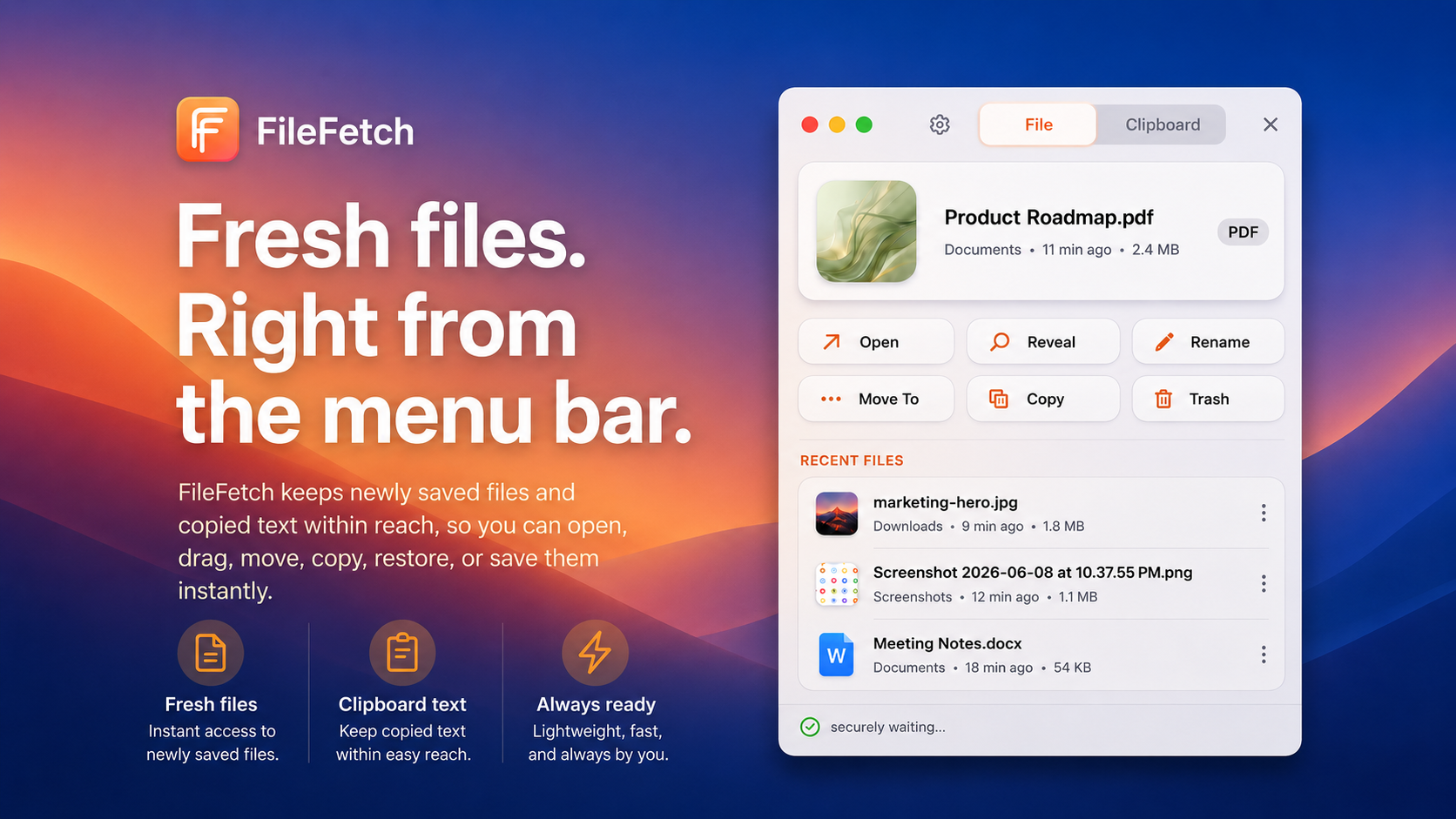
File Fetch gives your newest files and snippets a small, quick home in the menu bar so you do not have to dig through Finder, Downloads, Desktop, or app export folders.
Use it for:
- Recent files and downloads
- Screenshots and exported images
- Copied text, links, and short snippets
- Quick actions like open, reveal, rename, move, copy, trash, save, and reuse
Why you'll like it
The file you need is often the file you just used.
File Fetch keeps those fresh items visible without making you search your whole Mac. It is built for the tiny interruptions that can knock you out of a good working rhythm.
Privacy
File Fetch is a local Mac utility. Your recent-item workflow stays on your Mac.
Price
$3.99 - $4.99 with optional support. QuietWare apps are one-time purchases with no subscription. Use the store buttons on this page for current platform availability.
115 downloads
$3.99 - $4.99